
Audit Overview
Your store's untapped revenue potential — and how to unlock it
Why We Created This Audit
We analyzed wearnala.com the same way we've audited 350+ e-commerce stores — looking for the specific gaps between your current experience and what top-performing Fashion stores deliver. Every finding in this report is a revenue opportunity backed by industry data and competitive benchmarks.
What We Analyzed
- UX & Conversion Design10 findings
- Technology & App StackPlatform + 5 apps
- Industry BenchmarksFashion
Pages Analyzed
- Homepage2 findings
- Collection Pages4 findings
- Product Pages (PDP)2 findings
- Cart & Checkout2 findings
 This audit was prepared by Growisto — a CRO-led Website development team behind 167% conversion growth for Atomberg, 46% CR lift for TyresNmore, and 350+ e-commerce projects.
UX & Conversion Findings
Page-by-page analysis with visual comparisons against top Fashion stores
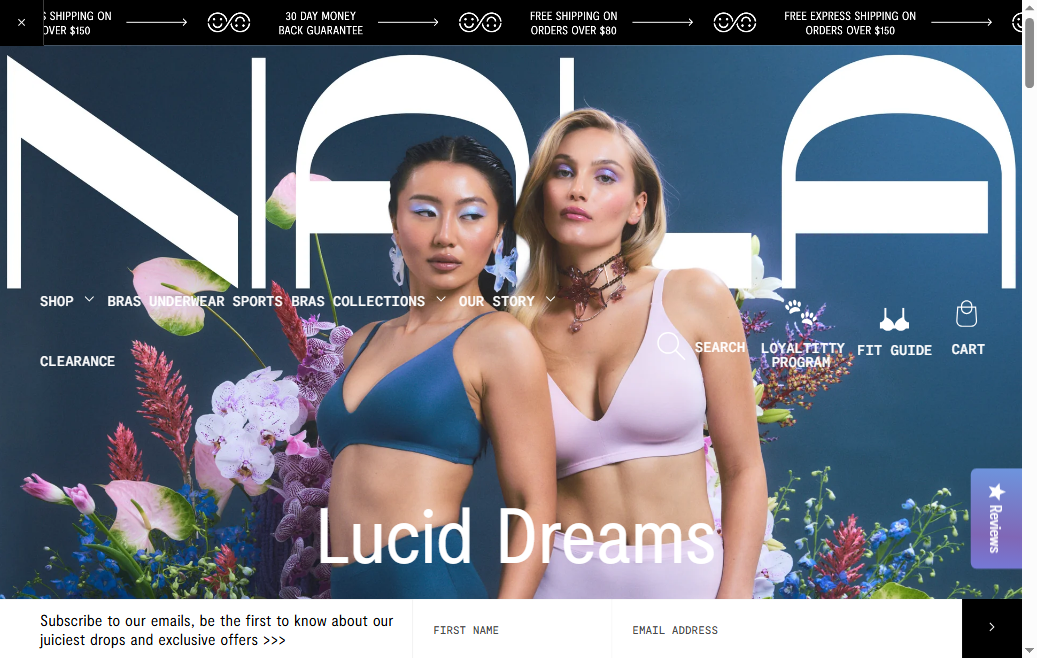
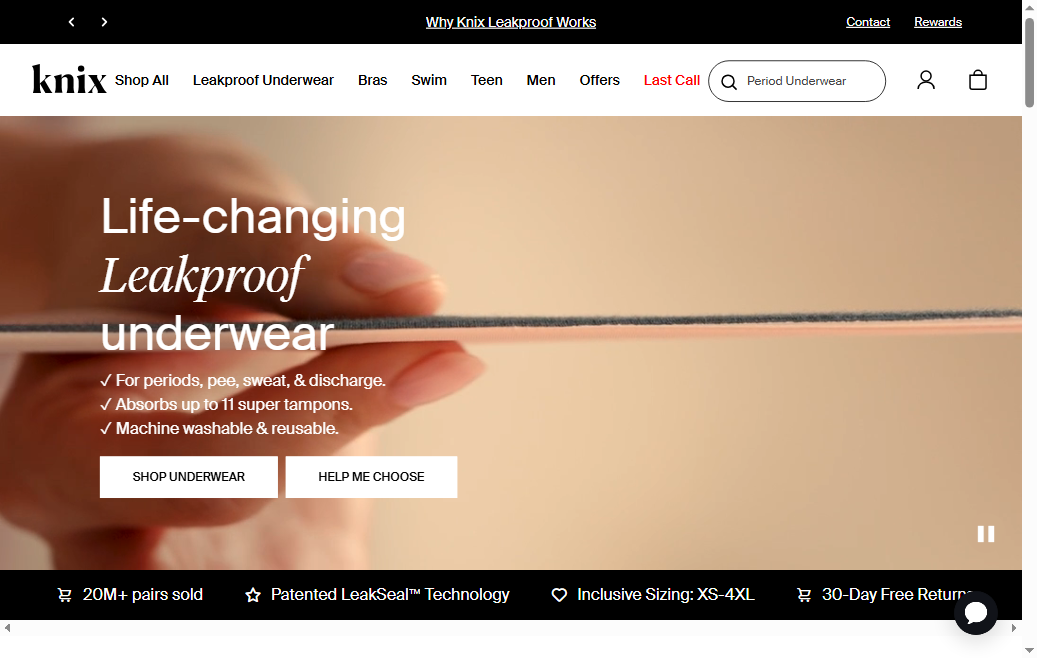
- Wear Nala's homepage shows an SMS opt-in popup (with country codes for AU, NZ, and US) but has no corresponding email capture popup. Visitors who prefer not to share their phone number have no prompted path to join the mailing list — their only option is the footer subscription form, which captures a fraction of the list growth that a popup delivers.
- 9 of 10 fashion benchmark stores use a first-visit email popup. Knix shows a '15% off your first order' email modal within 8 seconds of landing; Boody triggers a 'Join the Boody Fam' popup with a welcome discount. Both are top-performing intimates D2C brands by revenue-per-visitor.
- Email flows (welcome series, abandoned cart, browse abandonment) typically drive 20–30% of Fashion D2C revenue. An SMS-only list-building strategy underserves the majority segment — global email opt-in rates are 3–5× higher than SMS opt-in rates across fashion categories.
- Wear Nala's 'Loyaltitty Program' and seasonal campaigns ('Lucid Dreams', 'Free Mynd Subscription') are exactly the type of engaging, values-led content that drives email welcome series performance — but only if there is a list to send to.
- Add a first-visit email popup triggered after 6–8 seconds or on exit-intent (desktop), with a 10–15% off first order incentive consistent with competitor standard. Klaviyo (if installed) or Privy can serve this natively. Keep the form to email-only — single field maximises submission rate.
- Run the email popup and SMS popup as two separate experiences: email popup fires first (higher opt-in rate), and SMS popup shows to users who complete the email form, offering a second incentive. This stacks list growth across both channels rather than competing for the same popup slot.
- A/B test the offer: Version A = percentage discount (10% off), Version B = free gift with first order. Given Wear Nala's positioning around fun, colourful product drops and the 'Free Cosmetic Bag' promotion already active, the free gift offer may convert better and preserve margin.
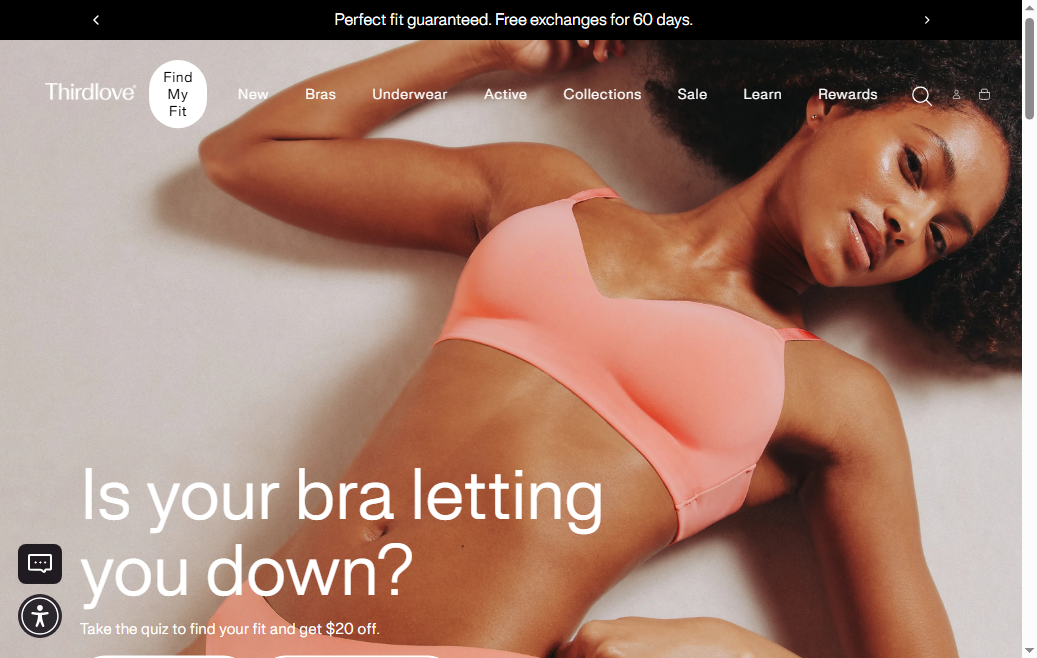
- Wear Nala's homepage prominently features product images, collection drops, and brand messaging but includes no customer testimonials, review excerpts, star rating aggregate, or social proof count. The only trust signals present are the '30 Day Money Back Guarantee' and the '100 years experience in designing intimates' claim.
- 7 of 10 fashion benchmark stores display reviews or testimonials on the homepage. Knix features a rotating customer review carousel with photos and fit-focused quotes ('Perfect for my 34G cup — finally a bra that fits!'). ThirdLove shows aggregate star ratings with a count ('Over 5 million bras sold, 4.7★ average') in the hero section.
- Intimate apparel has the highest fit anxiety of any fashion subcategory. A first-time visitor on wearnala.com has no immediate evidence from other customers that the bras actually fit well or that the sizing is accurate — two of the primary hesitation points that prevent first purchase.
- Wear Nala has a dedicated '★ Reviews' link in its navigation footer — indicating review infrastructure exists. Surfacing the strongest reviews (particularly those that mention fit, comfort, and size accuracy) on the homepage directly addresses the top objection for new visitors.
- Add a 3–4 review carousel section above the fold on the homepage, featuring reviews that mention specific fit wins: 'Finally found a bra for my 12E that doesn't dig in' or 'Wore it all day without adjusting once.' Fit-specific social proof is 2–3× more persuasive for intimates than generic positive reviews.
- Include a star aggregate badge ('4.8★ from 12,000+ reviews') in the site header or just below the hero banner — this acts as persistent social proof for the entire session and mirrors the approach used by top-performing AU/US intimates brands.
- For mobile specifically, a sticky header strip showing '★ 4.8 / 12,000+ reviews | 30-Day Money Back' creates a baseline trust layer for the 70%+ of Wear Nala's traffic that arrives on mobile and may bounce before scrolling to review content.
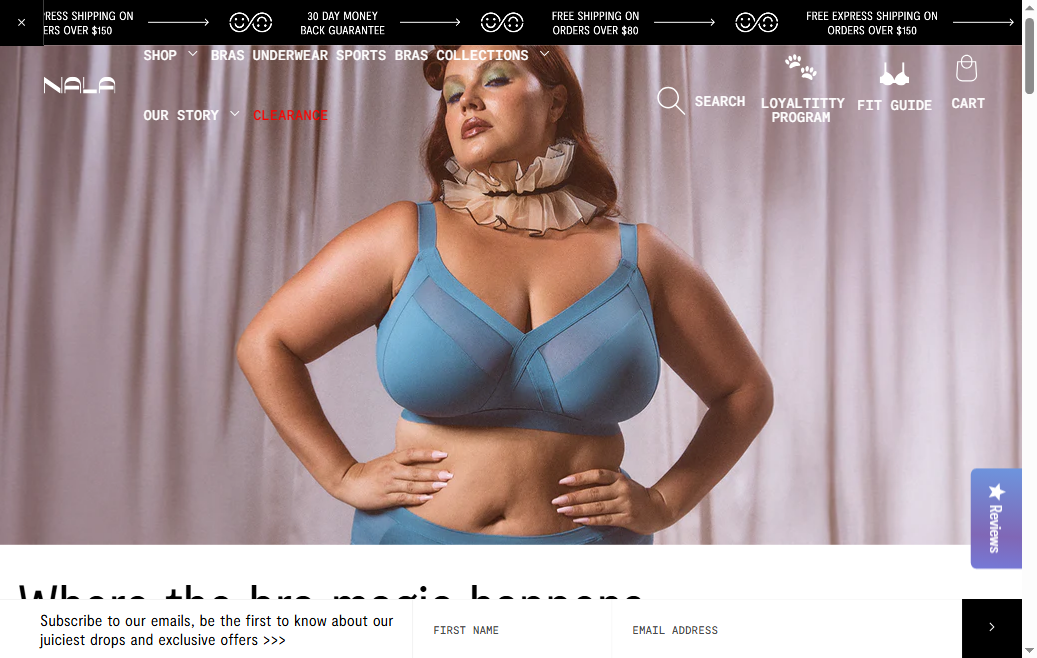
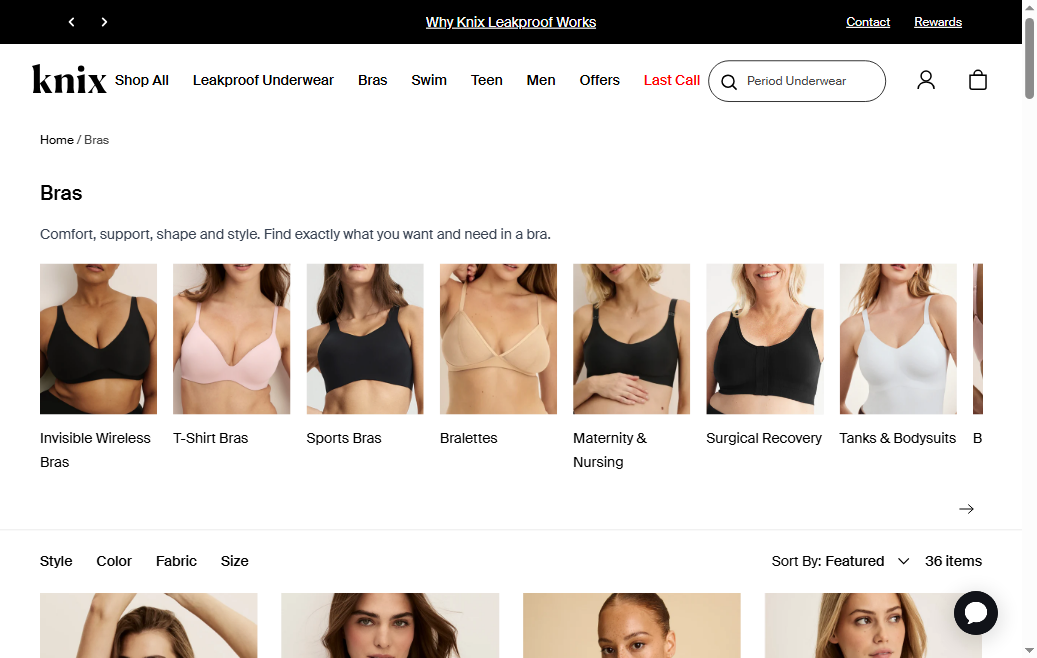
- Wear Nala's collection cards display product image, name, price, and colour swatches — but no star rating or review count. A shopper browsing the bras collection across 101 products has no social proof cue at the browse stage to distinguish which styles have the strongest fit track record.
- 8 of 10 fashion benchmark stores display star ratings on collection cards. Knix shows '★ 4.7 / 2,340 reviews' beneath every product name on collection pages — this structured format is significantly more trusted than copy-level claims because it surfaces a verifiable count.
- The absence is particularly damaging for Wear Nala because the catalog spans a wide size range (8A to 26E cups) and multiple fabric technologies (Bio Butter, Flossy Mesh, Better Than Cotton). A shopper choosing between two similar bras at the same price point has no data-driven signal to guide selection — review count and rating is the most reliable proxy for this.
- Wear Nala has a Reviews link in its navigation footer, confirming review infrastructure exists on the site. The gap is displaying this data at the collection card level where it drives browse-to-PDP click-through, not only on the PDP after the shopper has already committed to viewing a specific product.
- Enable the review app's collection card rating widget — most Shopify review apps (Judge.me, Yotpo, Okendo, Stamped.io) include a collection card snippet that adds star rating and review count below the product name with a single settings toggle. This typically requires no theme code changes.
- For new products with fewer than 10 reviews, display 'New' badge instead of stars — this avoids showing a statistically insignificant rating (e.g., 5.0★ from 2 reviews) and keeps the browse stage honest. Once products cross the 10-review threshold, switch to showing the aggregate score.
- Pair the star rating with review count as a number ('★ 4.8 · 847 reviews') rather than just the stars — the count acts as a social proof multiplier. A 4.8★ from 847 reviews is substantially more persuasive than 4.8★ alone, particularly for a shopper comparing two similar styles.
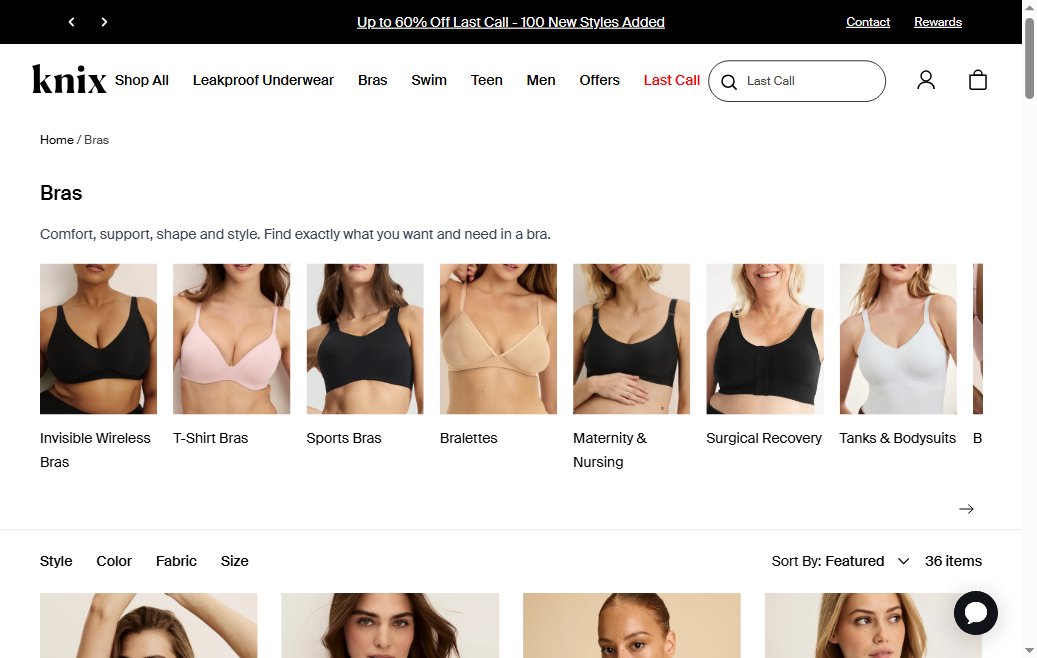
- Wear Nala's collection cards have no heart icon, bookmark, or save-for-later button. A shopper comparing bras across multiple fabric types (Bio Butter vs Flossy Mesh) or building an outfit across multiple sessions has no way to save products without relying on browser history or screenshots.
- 7 of 10 fashion benchmark stores have wishlist functionality. Knix shows a heart icon on every product card (top-right overlay) and tracks the wishlist count in the navigation header — making save-for-later a first-class browsing action. Boody has a 'Save for Later' modal that integrates with the post-visit email sequence.
- Intimate apparel is a multi-session consideration purchase. Shoppers often browse, compare fabrics and sizes across 3–5 products, leave, and return later. Without a wishlist, Wear Nala relies entirely on the shopper's memory or external note-taking to re-engage — significantly increasing the chance of losing the sale to a competitor discovered during the gap.
- Wear Nala's 'Buy any 3 underwear and get 10% off' multi-buy promotion is particularly well-suited to wishlist: a shopper who saves 4 underwear styles can then select their favourite 3 for the discount. Without wishlist, the multi-buy mechanic has no save-and-return enabling it.
- Add a heart/save icon as an overlay on every collection card (top-right corner) and on every PDP beside the ATC button. The icon should toggle between empty (not saved) and filled (saved). For guest shoppers, save to local storage; prompt account creation to persist across devices.
- Surface wishlist count in the navigation header ('♡ 3') — this creates a persistent return-visit incentive. A count of saved items in the header means every page view reminds the shopper they have unfinished browsing to complete.
- Connect wishlist to email flows: send a 'You saved something — it's still here' email 24–48 hours after a visitor saves products without purchasing. For the multi-buy promotion specifically, a 'You have 2 underwear saved — add 1 more for 10% off' triggered email combines wishlist abandonment with the existing bundle mechanic.
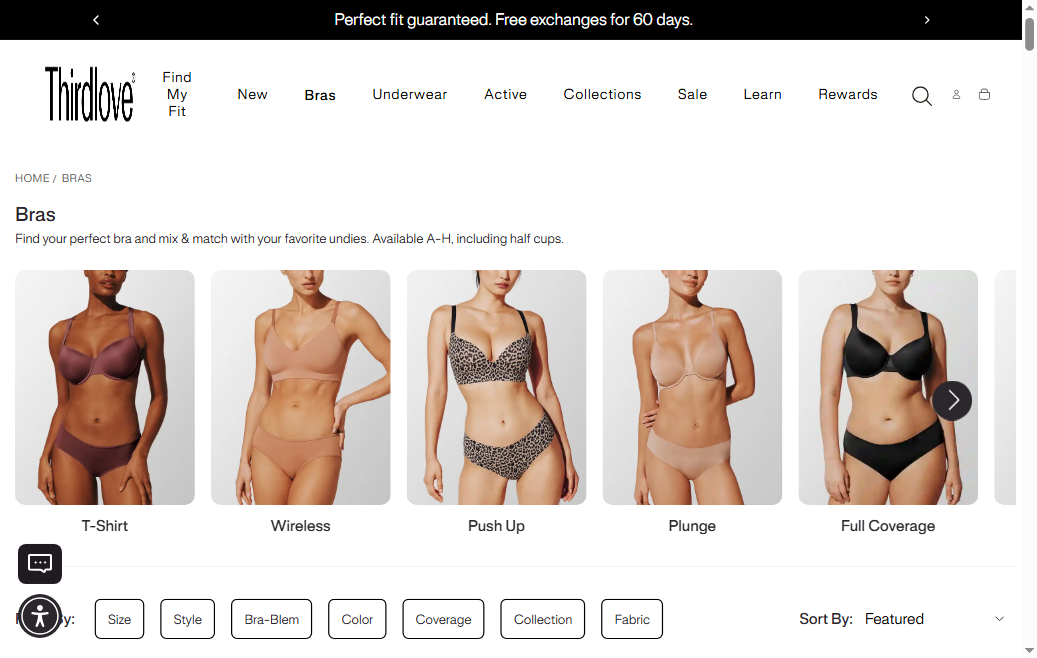
- Wear Nala advertises 'the first online fit guide of its kind' — but links to an external domain (fitnala.com) rather than hosting the tool within wearnala.com. A shopper who clicks the Fit Guide in the navigation leaves the Shopify session, breaking the browsing flow and the Shopify session tracking for analytics and retargeting.
- A shopper on the bras collection who is unsure of their size must navigate to an external site, find their size recommendation, then return to wearnala.com and re-start browsing — a 3–4 step detour that significantly increases bounce-and-abandon risk. ThirdLove's fit finder is embedded directly on the collection and PDP, allowing size recommendation without leaving the product context.
- External domains also mean that fit guide interactions are invisible to Shopify Analytics, Klaviyo, and any on-site retargeting — a shopper who used the fit guide is the highest-intent segment (they're committed enough to go through a sizing process) but Wear Nala has no way to track or follow up with this segment specifically.
- Wear Nala's size range (8A to 26E cups, XS to 6XL) is broader than most competitors — this is a genuine brand strength, but it also means size selection anxiety is higher. The broader the size range, the more important it is to have an on-site recommendation tool that narrows choice.
- Embed the fit guide experience directly within wearnala.com — either as a Shopify page using the fitnala.com logic (if it's custom-built) or via a Shopify size-recommendation app like Fit Analytics, Kiwi Sizing, or Sizebay. The embedded tool should be accessible from both the collection page ('Not sure of your size? Find it here →') and from every bra PDP.
- Create a Klaviyo trigger for fit guide completions: shoppers who complete the quiz but don't add to cart within 30 minutes enter a 'fit-confident shopper' abandoned browse sequence — 'We found your perfect fit: here are our top 3 picks for your [size]' email series.
- For the collection page specifically, add a sticky 'Find your fit →' button above the product grid on mobile (where size anxiety is highest and the collection is hardest to browse). This surfaces the fit tool at the exact point where shoppers are evaluating which bra to click.
- Wear Nala's collection product tiles show a product image, name, price, and colour swatches — but no 'Add to Cart', 'Quick Add', or 'Quick View' action. A shopper who has already decided they want a specific style and colour must click through to the full PDP, select a size, and then add to cart — three steps where a Quick Add could reduce it to one.
- 8 of 10 fashion benchmark stores include a Quick Add or Quick View button on collection cards. Knix shows a 'Quick Add' button on hover that opens a size-selector overlay directly from the collection grid. Boody displays an 'Add to Cart' button that appears below the product image on hover. Both reduce the browse-to-cart path without removing the PDP for shoppers who want more detail.
- The friction is highest for repeat purchasers and confident first-time buyers who already know their size — a returning customer who wants to quickly restock their Classic Gee in size S must navigate to the PDP, confirm the size is still selected, and then add to cart, when a Quick Add from the collection would achieve the same outcome in a single click.
- Wear Nala's multi-buy promotion ('Buy any 3 underwear and get 10% off') specifically incentivises adding multiple items — a Quick Add button on collection cards makes this multi-add behaviour far easier by allowing shoppers to add several underwear styles without leaving the collection grid to visit each PDP individually.
- Add a 'Quick Add' button that appears on hover (desktop) and always-on (mobile) for each collection card. The button should trigger a size-selector overlay or drawer — selecting a size auto-adds to cart and closes the overlay, keeping the shopper on the collection page. Shopify themes support this natively via section settings, or via apps like Instant Add to Cart.
- For products with a simple size range (S/M/L/XL), display the size buttons directly on the card hover state so the shopper can size-select and add in a single interaction. For complex size ranges (e.g., bra cup sizes 8A–26E), use a Quick View that opens a compact PDP modal showing the size grid, key fabric details, and ATC — without a full page navigation.
- Prioritise Quick Add for the underwear category (Classic Gee, Everyday Tuck Brief) where sizing is simpler and the multi-buy promotion actively incentivises adding multiple items. For bras with complex cup sizing, Quick View is more appropriate — it maintains the discovery moment while reducing navigation friction.
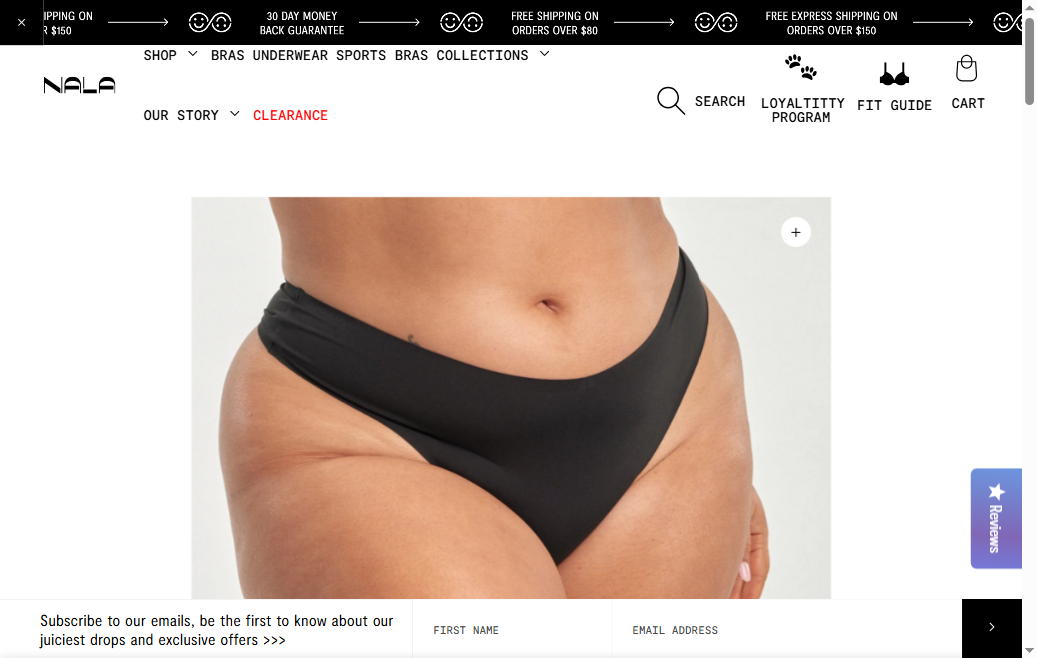
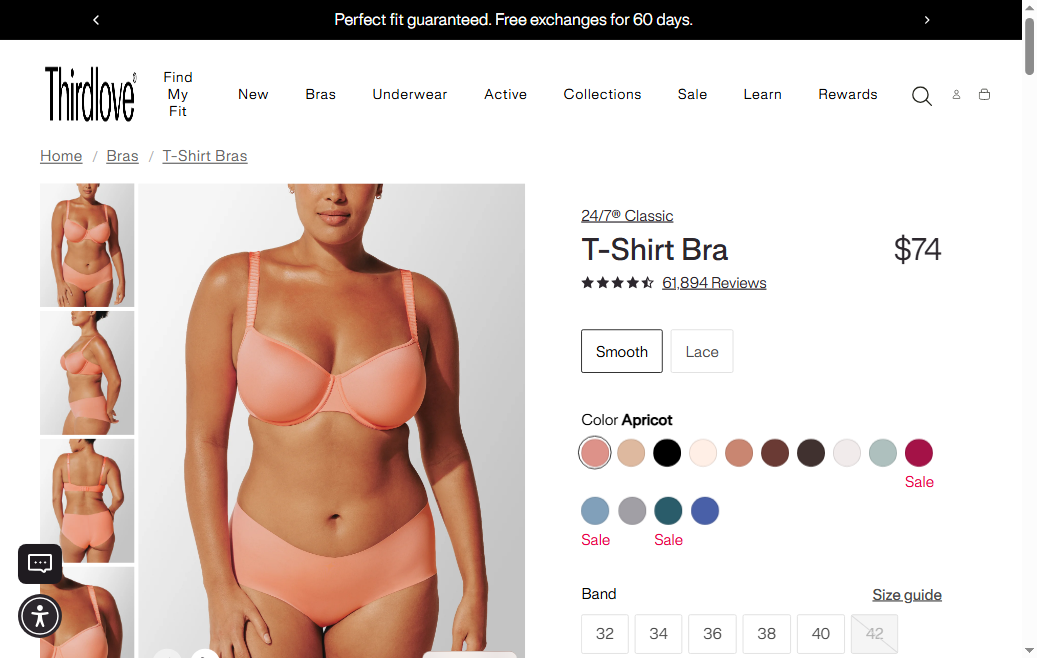
- On Wear Nala's product pages, the Add-to-Cart button is not visible in the first fold — the initial viewport on load. The hero section is dominated by the product image gallery, which takes up the majority of the above-fold space, pushing the ATC button below the visible area before any scrolling occurs. A shopper landing on the PDP from an ad, email, or collection click cannot act on their purchase intent without first scrolling down.
- Industry standard for ecommerce PDPs is to place the Add-to-Cart button within the first visible viewport alongside the product name, price, and variant selector. ThirdLove, Knix, and Boody all follow this pattern — their PDPs display product title, price, size selector, BNPL messaging, and the ATC button within the first scroll-free view on both desktop and mobile.
- The first fold is the highest-value real estate on any product page — it is the only content guaranteed to be seen by every visitor, including those with limited attention or on slow connections who abandon before scrolling. Wear Nala's current layout allocates this prime space almost entirely to image carousel navigation, wasting the conversion opportunity on a design choice rather than a purchase trigger.
- For a bra retailer where shoppers arrive with high purchase intent (typically already knowing their size from a fit guide or prior purchase), the scroll required to reach the ATC button creates unnecessary friction at the exact moment of maximum intent. Even a one-second delay caused by searching for the buy button measurably increases bounce rate.
- Restructure the PDP layout so the product name, price, key variant selectors (colour + size), and the Add-to-Cart button are all visible within the first fold on both desktop and mobile — without any scrolling. The image gallery can occupy the left 50–60% of the desktop layout; the right panel should contain the purchase zone from top to bottom.
- On mobile, reduce the initial image height to approximately 55–60% of the viewport so that the product name, price, and ATC button remain visible in the initial view. A 'swipe for more images' indicator below the hero image is sufficient to communicate additional images without sacrificing the ATC position.
- Use the first-fold real estate for conversion-critical content only: product name, star rating count (once reviews are enabled), price, Afterpay per-instalment, size selector with a 'Find my size →' link to the fit guide, and a full-width 'Add to Cart' button in the brand's signature colour. Reserve below-fold space for product description, fabric technology, care instructions, and reviews.
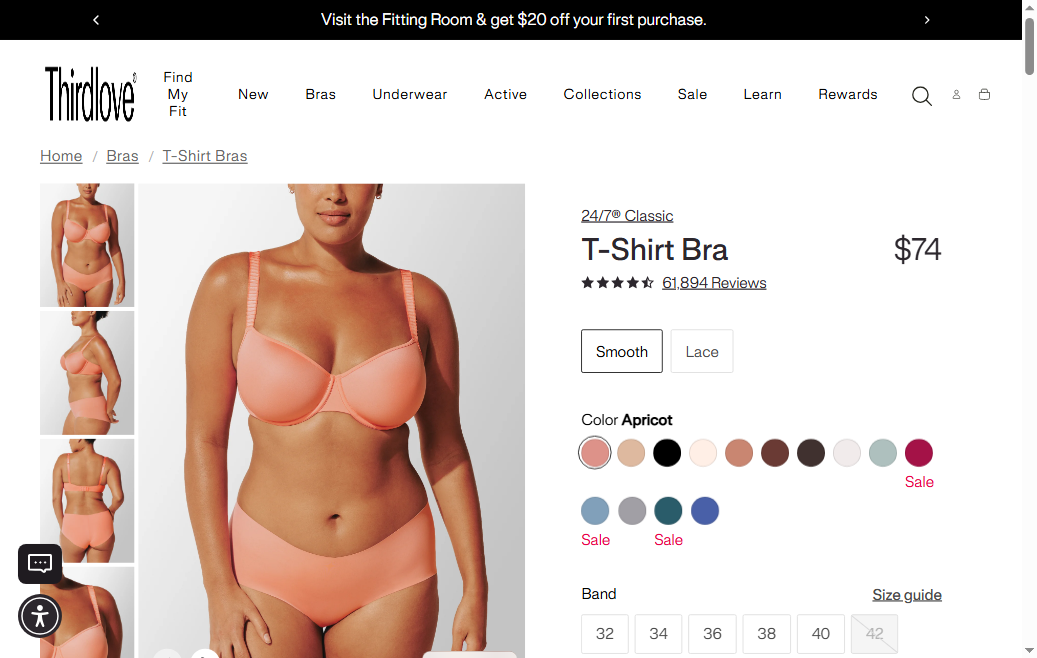
- Wear Nala PDPs display price, colour selector, size selector, and the Add-to-Cart button — but no BNPL or pay-later messaging. For a bra priced at $59 AUD or a multi-buy order pushing toward the $150 express shipping threshold, Afterpay messaging removes the single largest checkout objection for price-sensitive Australian shoppers.
- 9 of 10 AU fashion benchmark stores display Afterpay (or Klarna/ZIP) messaging on the PDP directly below the price. Knix shows 'or 4 x $14.75 with Afterpay' beneath the product price; Boody displays 'Afterpay available — pay in 4 instalments' with a dynamic per-instalment calculation. Both are standard treatments that are essentially invisible to shoppers who use Afterpay regularly — but critically present for those who need it.
- Afterpay penetration in Australia was 40%+ of all online fashion transactions in 2024 (Afterpay merchant data). A shopper who uses Afterpay for other fashion brands and arrives at wearnala.com without seeing pay-later messaging may assume it's not available and elect to purchase from a competitor that makes it visible.
- Wear Nala's multi-buy mechanic ('Buy any 3 underwear and get 10% off') combined with the free cosmetic bag at $180 creates a natural pathway toward higher-value orders ($60–$120 range) — exactly the range where BNPL converts the 'this feels like a lot right now' hesitation into a completed purchase.
- Add Afterpay (or Zip/Klarna) messaging below the product price on every PDP: 'or 4 x $X.XX with Afterpay ⓘ'. Afterpay provides a free Shopify widget that auto-calculates the per-instalment amount based on the product price — it's a 15-minute install with no coding required.
- For order-level BNPL (multi-buy or cart value above $100), add a cart page banner: 'Pay in 4 interest-free instalments with Afterpay — 0% interest' above the checkout button. This reinforces the option at highest-checkout-intent moment.
- Consider displaying Afterpay in the site announcement bar alongside the free shipping messaging: 'FREE EXPRESS SHIPPING OVER $150 · PAY IN 4 WITH AFTERPAY'. This ensures pay-later visibility on every page of the site, not just PDPs.
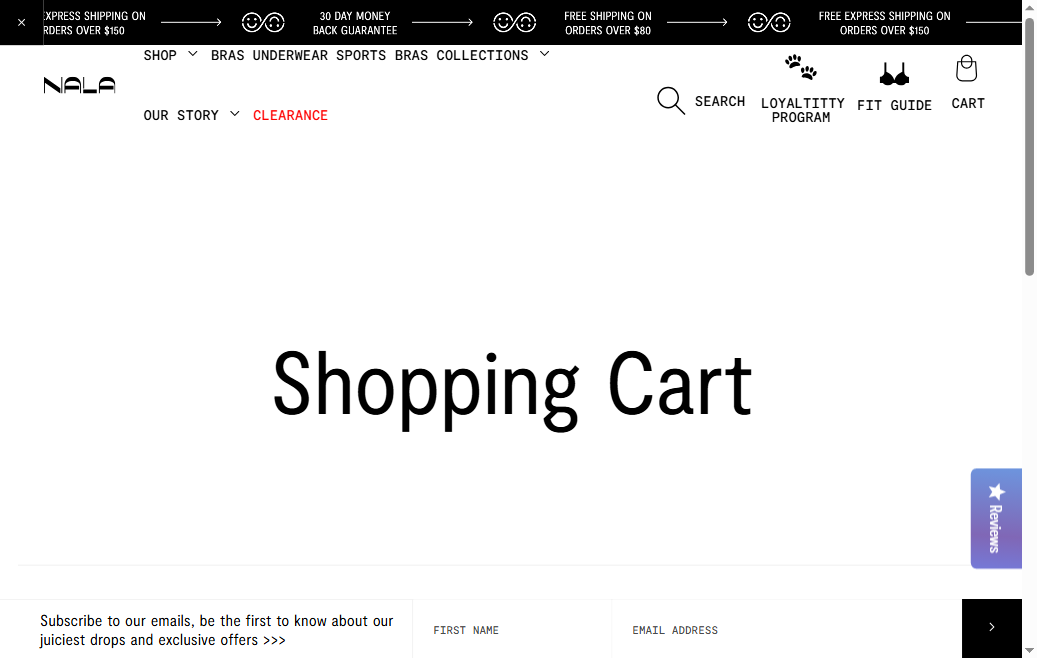
- Wear Nala's cart page shows the three order incentives (free shipping at $80, express shipping at $150, free cosmetic bag at $180) as static promotional banners — but does not show a dynamic progress bar that updates in real time as items are added or removed. A shopper with $95 in their cart has no visual prompt showing 'Add $55 more to get express shipping' and 'Add $85 more to get the free cosmetic bag'.
- 8 of 10 fashion benchmark stores display a cart progress bar. Boody shows 'You're $X away from free shipping' with a fill bar that updates instantly as cart items change. Knix displays 'Add $X more and get a free gift' with a gift unlock callout when the threshold is reached. Both implementations drive measurable AOV lift.
- The free cosmetic bag at $180 is a particularly strong incentive — a physical gift-with-purchase — but it is invisible in the cart to a shopper who is at $140. Without a progress bar, the only way a shopper discovers the $180 threshold is by noticing the announcement bar on other pages, then manually calculating how far their cart is from unlocking it.
- Multi-incentive threshold systems (like Wear Nala's) require a sequential progress bar that surfaces the next achievable milestone, not all three simultaneously. A shopper at $75 should see 'Add $5 more for free shipping' — not all three thresholds at once, which creates cognitive load rather than purchase urgency.
- Implement a dynamic single-metric progress bar in the cart drawer/page that shows the next achievable threshold: first, 'Add AU$X for free shipping' (up to $80), then 'Add AU$X for free express shipping' (up to $150), then 'Add AU$X for your free cosmetic bag' (up to $180). When each threshold is crossed, the bar celebrates the unlock and advances to the next milestone.
- Below the progress bar, show 2–3 'add to unlock' product recommendations priced at AU$25–$40 — Wear Nala's core underwear price range. These serve double duty: they push the cart over the threshold and introduce additional products from the catalog to first-time buyers.
- When the $180 threshold is reached, replace the progress bar with a green success state: '🎉 You've unlocked your free cosmetic bag! It will be added to your order.' This turns the cart page into an active gifting experience and rewards the shopper's decision to add that final item.
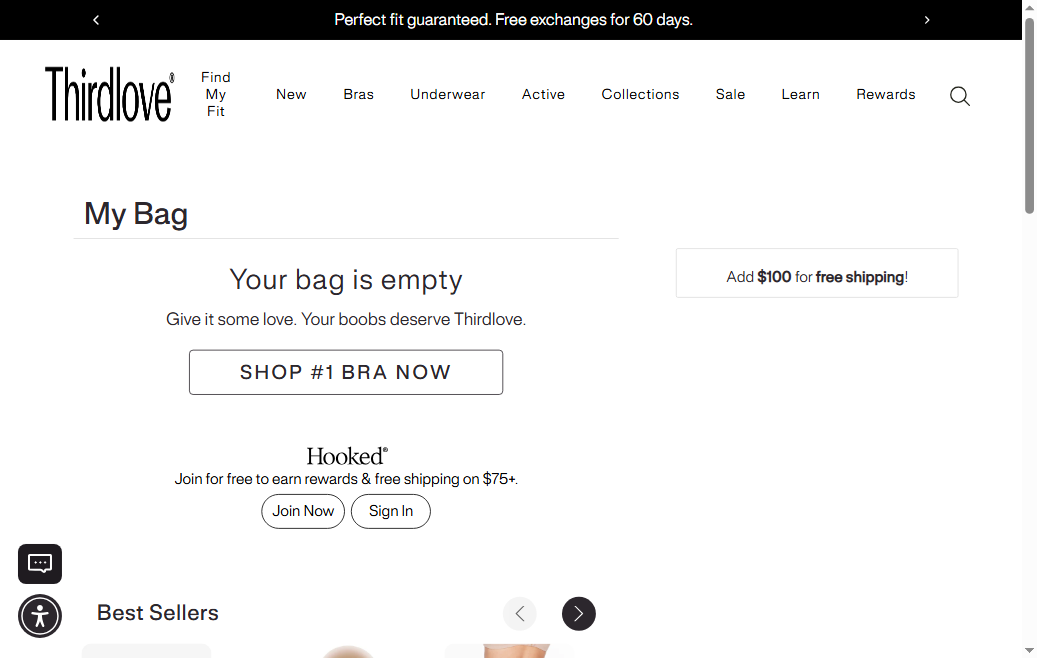
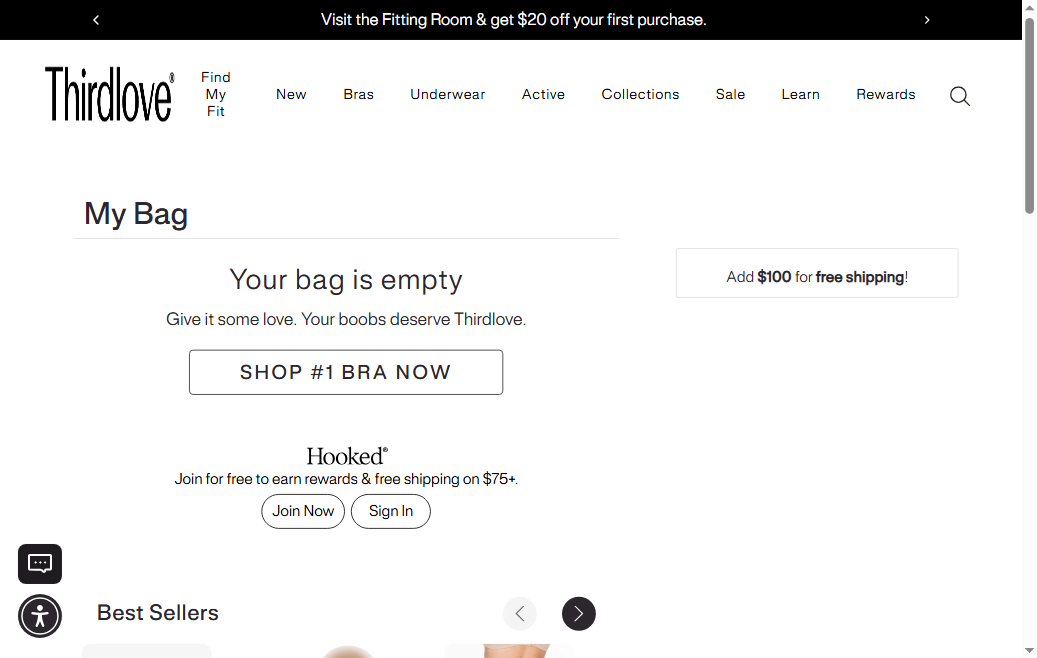
- Wear Nala's cart page does not display a discount code or promo code input field. A shopper who has received a promotional code — from the 'Loyaltitty Program', a referral link, a campaign email, or an influencer partnership — has no way to apply their discount until they reach the Shopify checkout step. This creates a friction point that is particularly damaging when the shopper is unsure if the code is valid.
- 9 of 10 fashion benchmark stores include a discount code field on the cart page. ThirdLove, Knix, and Boody all display 'Enter promo code' as a visible, collapsed field in the cart. Shoppers who have a code expect to apply it in the cart, not at checkout — if they don't see the field, they may abandon to search for 'where to enter promo code' or assume the code won't work.
- The risk is asymmetric: showing a discount code field costs nothing when no code is being applied, but hiding it creates confusion and abandonment for shoppers who do have a code. Wear Nala's 'Loyaltitty Program', welcome discount, and seasonal campaigns mean a significant fraction of the brand's returning customers will be arriving with a discount code.
- For influencer and affiliate marketing — a primary acquisition channel for AU/global intimates brands — discount codes are the primary conversion tracking mechanism. A buried discount field makes influencer-driven traffic harder to convert and creates doubts about the campaign at the most critical moment.
- Add a 'Promo / discount code' collapsible field on the cart page, displayed above the cart total. Use a collapsed accordion style ('Have a promo code? Click to enter') to avoid suggesting to shoppers without codes that they are missing a deal — while ensuring it's immediately visible and accessible to those who have one.
- For the 'Loyaltitty Program' specifically, consider showing a 'Redeem Loyaltitty points' link alongside the discount code field — a dual-redemption section that allows both coupon codes and point-based discounts to be applied before checkout. This surfaces the loyalty programme value at the highest-intent moment.
- Ensure the discount code field is persistent: if a shopper adds a code, browses more products, and returns to the cart, the code should still be applied. A disappearing code on cart navigation is a common source of customer service complaints and abandoned purchases.
Performance & Technology
Core Web Vitals, page-speed signals, and the technology stack powering Wear Nala
Core Web Vitals
Technology Stack
Performance & Technology Assessment
Mobile performance is needs work (48/100); desktop is needs work (77/100) on Shopify. Page-speed and Core Web Vitals are increasingly load-bearing for SEO and conversion in this category — addressing the weakest vital first is the single highest-leverage technical improvement available.
Confidential — Prepared for Wear Nala by Growisto | June 2026
App Ecosystem
What's installed vs what's missing from best-in-class Fashion stores
Present (5)
Missing (6)
App Stack Assessment
Wear Nala's app stack has strong bones — an active loyalty programme, SMS capture, and a multi-tier shipping incentive system are all genuine competitive assets. The critical gap is in the conversion trust layer: no reviews app means shoppers cannot read fit feedback on any product; no Afterpay means the standard AU payment option is missing; and no email popup means list growth relies entirely on visitors who scroll to the footer. These three gaps together represent the highest-concentration conversion opportunity in the audit. The good news is that all three are available as Shopify apps with straightforward installs: Okendo or Judge.me for reviews (2–4 hours), Afterpay Shopify widget (15 minutes), and Klaviyo popup (1–2 hours if Klaviyo is already installed). Closing these three gaps alone has the potential to meaningfully lift overall site CVR.
Confidential — Prepared for Wear Nala by Growisto | June 2026